
Articles ·
How to make a shared family photo album without iCloud
One album for the whole family, on the cloud you already share, for iPhone, iPad and Mac.
iCloud Shared Photo Library is a good idea, but it needs the whole family on iCloud, with enough storage. Many families already keep their photos elsewhere: in a shared pCloud or Dropbox account, or on a NAS at home. Everyone sees the same folders there, but each on their own.
With Apollo: Family mode
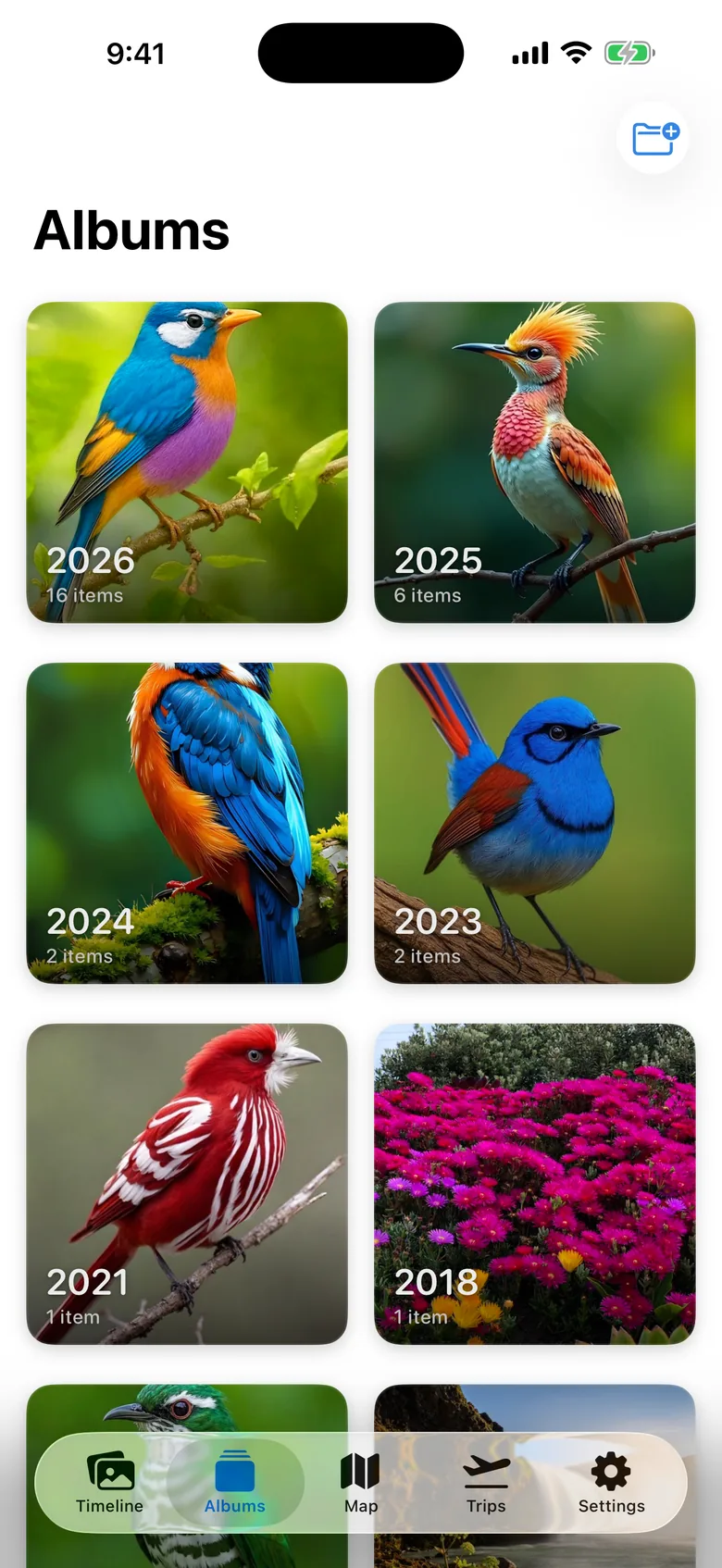
Apollo works on top of the cloud you already share. With Family mode, everyone connected to the same cloud sees the same:
- album covers,
- folders and organisation,
- trips, including who went, tickets and boarding passes.
If one person names a trip “Easter at grandma’s”, everyone sees it that way, on iPhone, iPad or Mac. Nobody has to reorganise anything.
What stays private
Your photos never leave your own cloud, and the smart analysis runs on your devices. Whatever the family shares (covers, trips, analysis results) is also stored in your own cloud, not on an Apollo server. You can share only part of it, for example without trips, from Settings.
A small tip
Agree on one folder where everyone uploads their photos, for example “Family/2026”. If some files have wrong dates or locations, Iris fixes them on your Mac before they join the shared album.