
Articles ·
How to browse your pCloud, Dropbox or OneDrive photos as albums
Keep your photos in the cloud you already pay for, and browse them on iPhone, iPad and Mac as a real album, by year and on a map.
Many of us keep our photos outside iCloud: in pCloud with its lifetime plan, in Dropbox from work, in OneDrive that comes with Microsoft 365, or on a NAS at home. The problem is that there, photos are files in folders, not albums. To find “that summer on Naxos in 2019” you open a folder, then a subfolder, and wait for thumbnails to load.
The usual fix, and why it’s awkward
The first idea is to copy everything into the Photos app. But then you need iCloud storage, a second subscription for the same photos, and two copies that have to stay in sync.
With Apollo: no copying at all
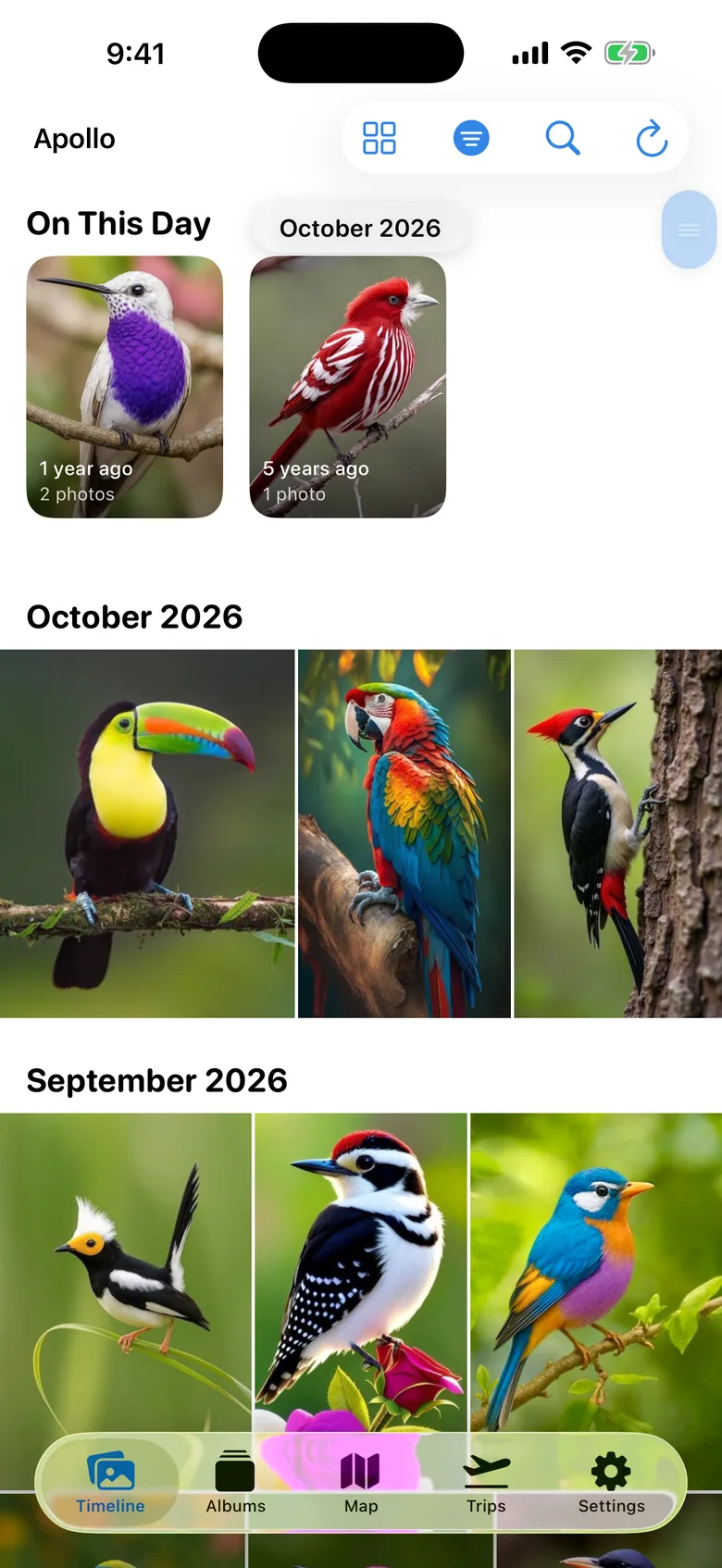
Apollo connects to your cloud (pCloud, Dropbox, OneDrive, Box, or WebDAV such as Nextcloud or a NAS) and shows your photos where they already are. It doesn’t copy them anywhere.
- Albums by year, using the real capture dates from EXIF, not the upload date.
- A map of every photo that has a location.
- Smart search: type “sea” or “dog” and it finds them. The analysis runs on your device only, nothing is sent to third parties.
- It picks the best covers by itself and finds duplicates.
A small tip
If many photos show up under the wrong year, the date inside the file is usually to blame, for example in scans or photos saved from WhatsApp. Iris fixes it on your Mac before Apollo sees them.