
Articles ·
How to get reminders for car service, inspections and insurance on iPhone
Never miss your car inspection, insurance renewal or oil change again, with reminders and a full history for each task.
The inspection every two years, insurance every year, an oil change every six months or every so many kilometres, then tyres, battery, filters and brake pads. Each has its own rhythm, and you usually remember when it’s already late.
The simple way: iPhone Reminders
In Reminders you can create a “Car” list with repeating reminders, for example “Inspection” every 2 years. It’s a start. But it doesn’t know when the last service actually happened, or the mileage, and it keeps no history.
With Chronos: one card per task
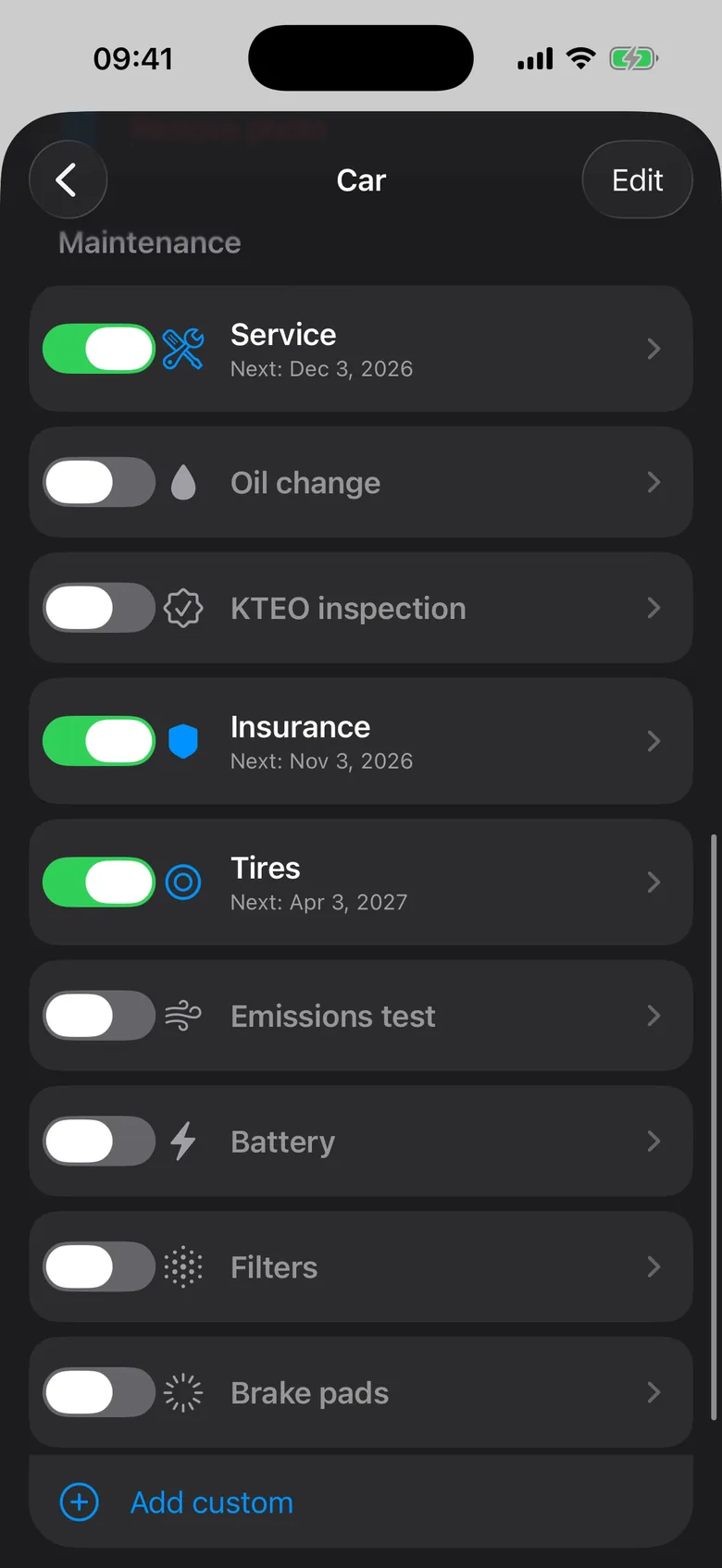
In Chronos, under Tracking → Car, every task gets its own card: service, oil change, inspection, insurance, tyres, emissions card, battery, filters, brake pads, or anything else you need.
- Each card comes with a sensible interval, such as 24 months for the inspection or 6 for oil, which you can change. For oil and service you can also track kilometres.
- When a task is done you log it, and the next date is worked out from there.
- It keeps a history, so you know when the oil was last changed, or can show it when you sell the car.
If something else is due on the same day, such as a subscription or a loan payment, Chronos combines them into one notification instead of several.
A small tip
The first time, enter the dates from your paperwork: the last inspection certificate, the insurance policy and the service book. After that, your iPhone remembers for you.